AI Customer Communication
Customer Service Automation Examples: A Simple Workflow
Make everyday requests easier to handle with clear replies, one owner, and a reliable next step.
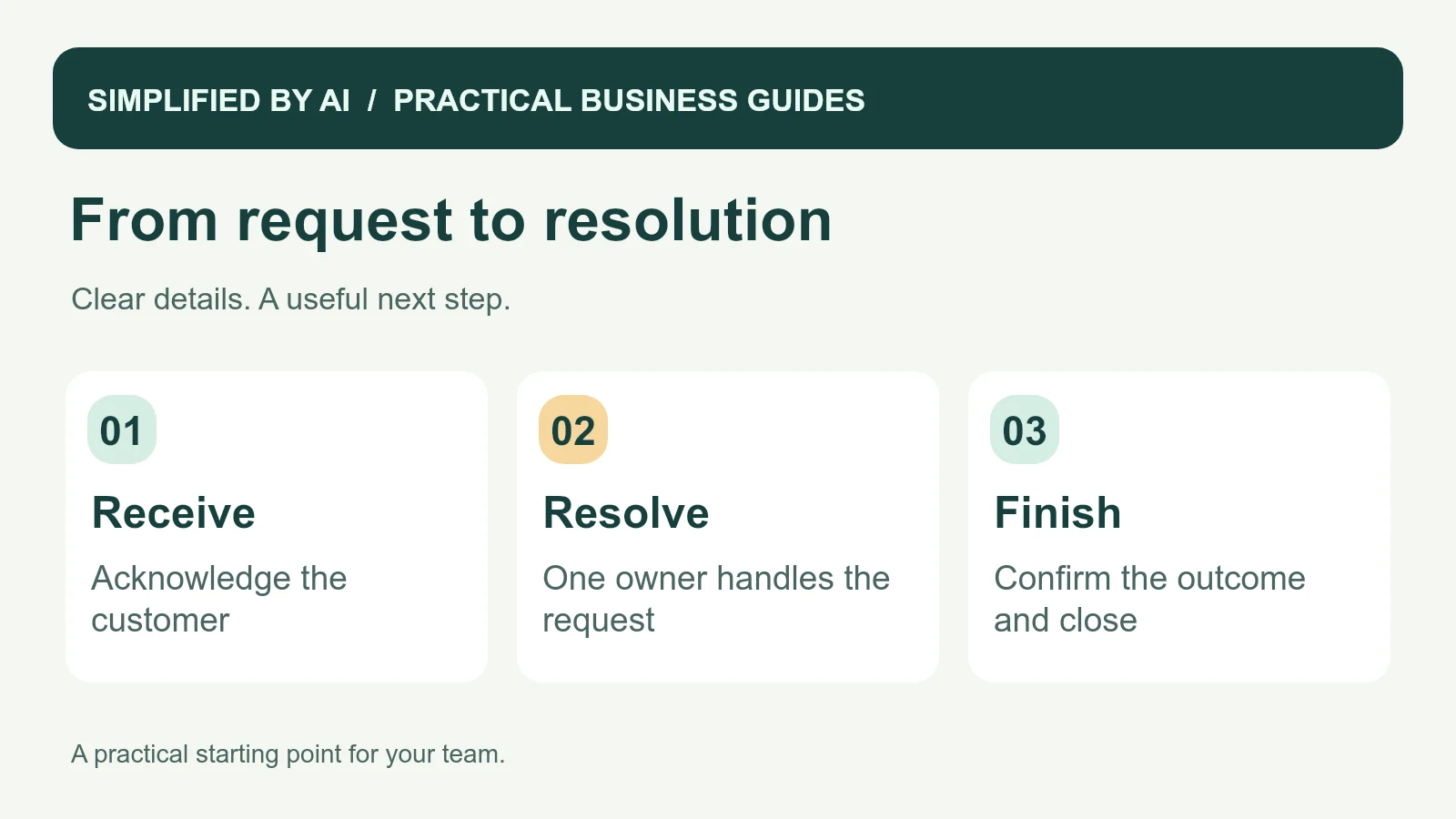
Short answer: Useful customer service automation examples include confirming receipt of an inquiry, assigning a request, sending a booking confirmation, and reminding the right employee to follow up. A simple customer service workflow takes a request from arrival to an owned next action, a useful response, and a confirmed outcome.
For a small business, the challenge is often the work between replies: finding the earlier message, checking who called, or remembering which customer needs an update. The 12 examples below focus on making those everyday tasks easier, with a complete worked example and messages you can adapt.
A customer service workflow example you can use
In this fictional example, Morgan asks a maintenance business to inspect a sticking office door. The business has one coordinator and a small field team. The workflow keeps the request, the visit, and the unfinished work visible.
- Monday, 9 a.m. — request received. A website form creates request R-318 and a receipt message. Status: New. No visit has been booked.
- Monday morning — details checked. Casey checks the location, asks for the missing callback preference, and becomes the owner. Status: Waiting for customer.
- After the reply — visit agreed. Casey and Morgan agree Tuesday, 10–11 a.m. The existing request is linked to the calendar booking, and a confirmation uses those details. Status: Visit booked.
- Tuesday — visit recorded. The technician records an adjustment completed and a replacement closer still needed. Status: Follow-up needed. The job stays open.
- Before the promised update — next action assigned. Casey checks the part and sends a revised plan for Morgan to agree. A reminder goes to Casey if the promised update is still outstanding.
- After the return visit — outcome confirmed. The completed work and customer update are recorded. Close the request only when no open action remains; keep the billing record separate.
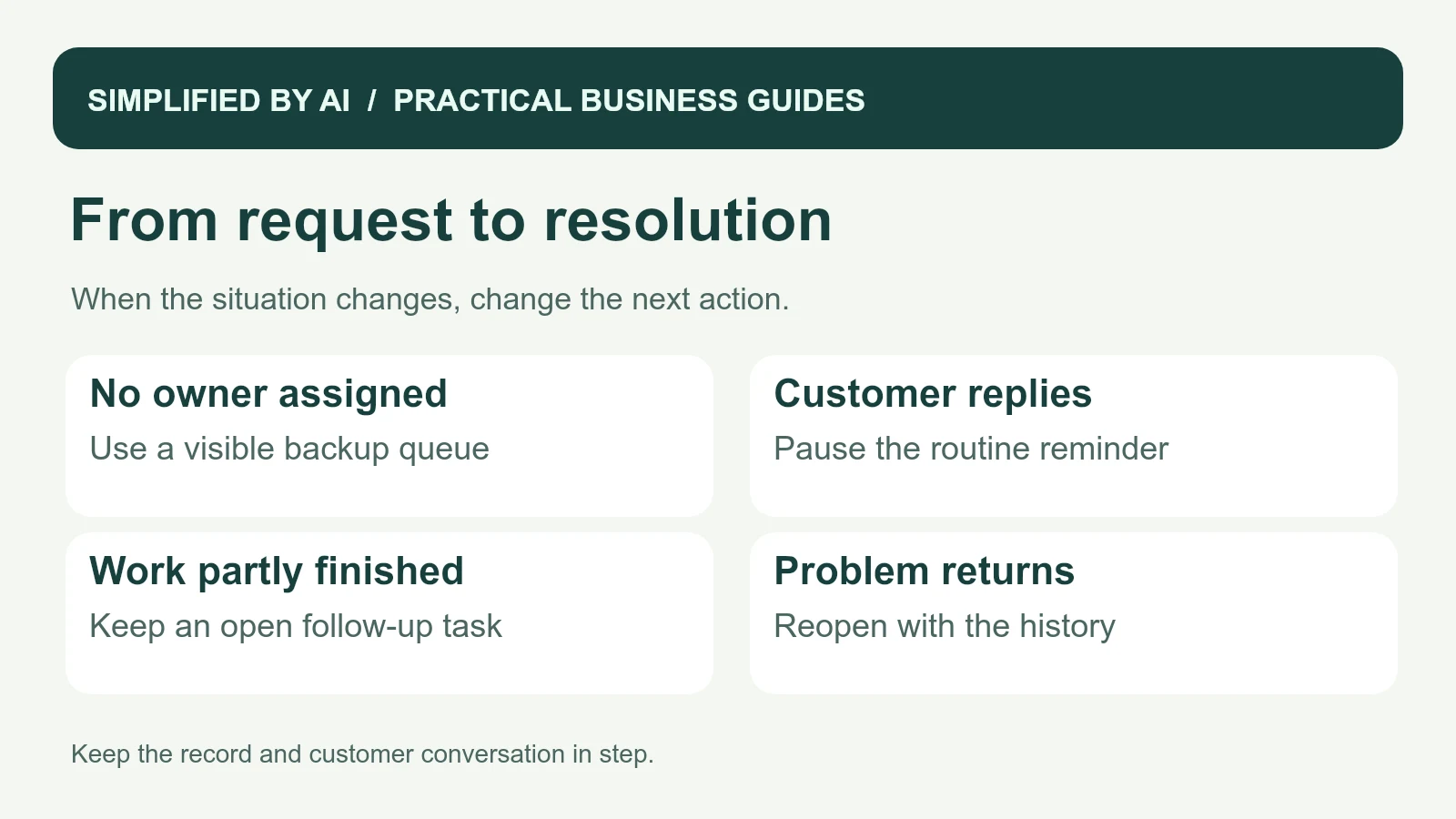
If Morgan asks to change the appointment, Casey pauses its old reminder while arranging a new time. If Morgan reports the door is still sticking after closure, the request reopens for review with its history attached. The owner does not need to ask Morgan to start the story again.
Example reply: acknowledge the maintenance request
Hi [name],

Thanks for contacting [business] about the sticking door. We have received your request, and [coordinator] is checking the details.

Could you confirm [one missing detail] so we can discuss the next step?

You can reply here, and we will keep the conversation together.

Thank you,
[name]
[business]
Example reply: explain what happens next
Hi [name],

We have reviewed your request about [service]. The next step is [agreed action], and [person] is looking after it.

We will update you by [realistic date or time]. If your plans change before then, please reply here so we can adjust the arrangements.

Thanks,
[name]
[business]
Example reply: close the visit clearly
Hi [name],

Thank you for having us today. We completed [specific work] and [confirmed outcome].

The remaining item is [open item, or state that no further action is currently planned]. [Person] will [next action] by [agreed update date].

Please reply if there is anything you would like us to clarify.

Thank you,
[name]
[business]
12 practical customer service automation examples
Choose the example that matches a repeated frustration in your business. Begin by doing the steps manually on a few requests. Then connect the repeated actions, keeping a visible owner for anything the connection cannot finish.
1. Confirm that a new request arrived
Starts when: a form is successfully submitted. Save a request reference and send a receipt explaining when the customer will hear back. If the submission fails, show an error and another contact option; do not claim it was received.
2. Gather a missing detail
Starts when: the assigned employee finds a detail needed to proceed. Prepare a question about that detail and mark the request Waiting for customer. A customer intake form can gather the basics. If the answer arrives elsewhere, add it to the same request before asking again.
3. Give each request an owner
Starts when: a request enters the shared queue. Assign by the service or location you actually cover, and show the name beside the request. Anything that matches no rule goes to a visible unassigned list and a named backup, rather than disappearing.
4. Confirm an agreed appointment
Starts when: a booking is accepted in the calendar. Send its actual time, location, and reply option. If the time changes, cancel the old reminder before sending revised details. Use these appointment confirmation templates as a starting point.
5. Organize missed-call follow-up
Starts when: an eligible missed call is recorded. Create one callback task with the time, number, and owner; check whether another employee has already called back. Only send a text where the customer's preferences and your messaging setup permit it. The missed-call follow-up guide covers the broader process.
6. Prepare answers to common questions
Starts when: staff identify a question covered by an approved answer, such as opening hours. Prepare that answer with a link to the source information. If the question concerns an exception, such as holiday hours not yet confirmed, assign it for review rather than guessing.
7. Share a confirmed service update
Starts when: the job record gains a verified status change. Prepare the update from that record. A part arriving does not by itself mean a return visit is booked; the scheduler still needs an agreed time before the message promises one.
8. Turn a call into clear next steps
Starts when: an employee adds call notes. Prepare tasks with an owner and due date, then ask that employee to check them. If no date was agreed, mark it for clarification rather than inventing a customer commitment.
9. Follow up on an unanswered estimate
Starts when: the agreed follow-up date arrives on an open estimate. Check for a reply and the current document version, then prompt the owner to send useful help. Pause on a reply, decline, or revised timing. These quote follow-up emails cover the different situations.
10. Prepare an invoice reminder
Starts when: an invoice passes its agreed due date. Check the current unpaid balance before preparing a message. A payment, dispute, or reply pauses the sequence for the billing owner to review. The invoice reminder templates include partial-payment wording.
11. Hand completed work to the office
Starts when: a technician submits a visit record. Send the office completed tasks and open items, with a task for anything missing. A job completion form makes that record consistent. Partial work stays open rather than being closed because the visit ended.
12. Learn from repeated questions
Starts when: the team reviews a week's conversations. Group recurring questions for a named employee to check, then improve one unclear instruction. Keep a link to the original examples so staff can check whether a summary has misunderstood the issue.
Copy a checklist for your team's next request
A request-to-resolution checklist
CUSTOMER SERVICE CHECKLIST

[ ] Original request saved in the right place
[ ] Customer knows the request was received
[ ] Basic service and contact details checked
[ ] One employee assigned
[ ] Next action and review time recorded
[ ] Reply checked against current information
[ ] Any changed arrangement confirmed
[ ] Completed work or answer recorded
[ ] Open items have an owner
[ ] Customer receives a clear closing update

Request reference:
Status: New / Needs review / Waiting for customer / Visit booked / Follow-up needed / Closed
Assigned employee and backup:
Next action:
Promised customer update:
Review date:
Open items:
Outcome:
Choose a first improvement that fits the team
Ask staff where they spend time repeating themselves or chasing an update. If the same question arrives several times a day, a better answer may help more than a new system. If the answer is already good but nobody knows who should send it, focus on ownership.
Before choosing the first task, check these four practical details:
- The request happens often enough for staff to recognize it.
- The team can describe what a useful response looks like.
- One employee can take responsibility for follow-through.
- The current information needed for the reply is available.
Start with one request type and one channel. Our workflow automation service can help map the current steps and connect the tools when that is useful. The process should feel comfortable to the people who will use it every day.
Keep replies helpful and personal
Use the customer's actual question, state what happens next, and offer a reply path. Digital.gov's plain-language principles are a useful reference for clear customer messages. Staff should be able to adapt a template rather than squeeze every conversation into the same answer.
When an issue needs judgment, give it to someone who can help. For AI-supported steps, the NIST AI Risk Management Framework can help your business define responsibilities. Customers should experience a joined-up conversation even when several people work behind it.
Protect the information your team needs
Collect and share only details that serve the next action. The FTC's personal-information guidance is a useful starting point for privacy and security. Keep sensitive account or access details out of widely shared service summaries. Seek qualified legal advice for your business's specific data and messaging requirements.
Check what happens when the normal path changes
- Two people open the same request: both see the current owner and avoid sending duplicate replies.
- The customer replies before a reminder: the scheduled action is paused and the owner sees the new message.
- The owner is away: the backup sees the overdue action and can find the full history.
- A task cannot be assigned: it stays visible in the unassigned queue.
- The job is only partly done: the open item keeps its owner and update date.
- A closed problem returns: the customer can reply and the request reopens for review.
Test these with fictional requests first. Then review a few real conversations with the people answering them, keeping customer details private.
Measure the time to a useful response, requests left without an owner, repeat contacts, and corrections. Read a few full conversations as well as the numbers. When the team can find the details quickly and the customer knows what happens next, the process is moving in the right direction.
Frequently asked questions
What is a simple customer service workflow example?
A customer sends a request, the business confirms receipt, one employee takes responsibility, the request is resolved or referred to someone who can help, and the customer receives a closing update.
Which customer service task should we automate first?
Choose a frequent task with a clear answer and an obvious owner, such as acknowledging a new inquiry or assigning a request. Start where customers and staff already feel the delay.
Does customer service automation require AI?
No. Forms, reminders, routing rules, and messages based on verified booking details may be enough. AI can be useful when the task involves varied wording, conversation summaries, or draft replies.
How do we keep service personal as we automate?
Use the customer's actual request, make replies easy to answer, and give staff a clear way to step in. Review real conversations regularly and adjust anything that feels confusing or impersonal.
Make everyday customer service easier
We can help map the repeated requests that slow your team down and build a practical first improvement around the tools and people you already have.