AI Customer Communication
AI-Powered Messaging for Small Businesses: Useful Examples
Give customers a helpful reply sooner and give your team a clearer way to keep conversations moving.
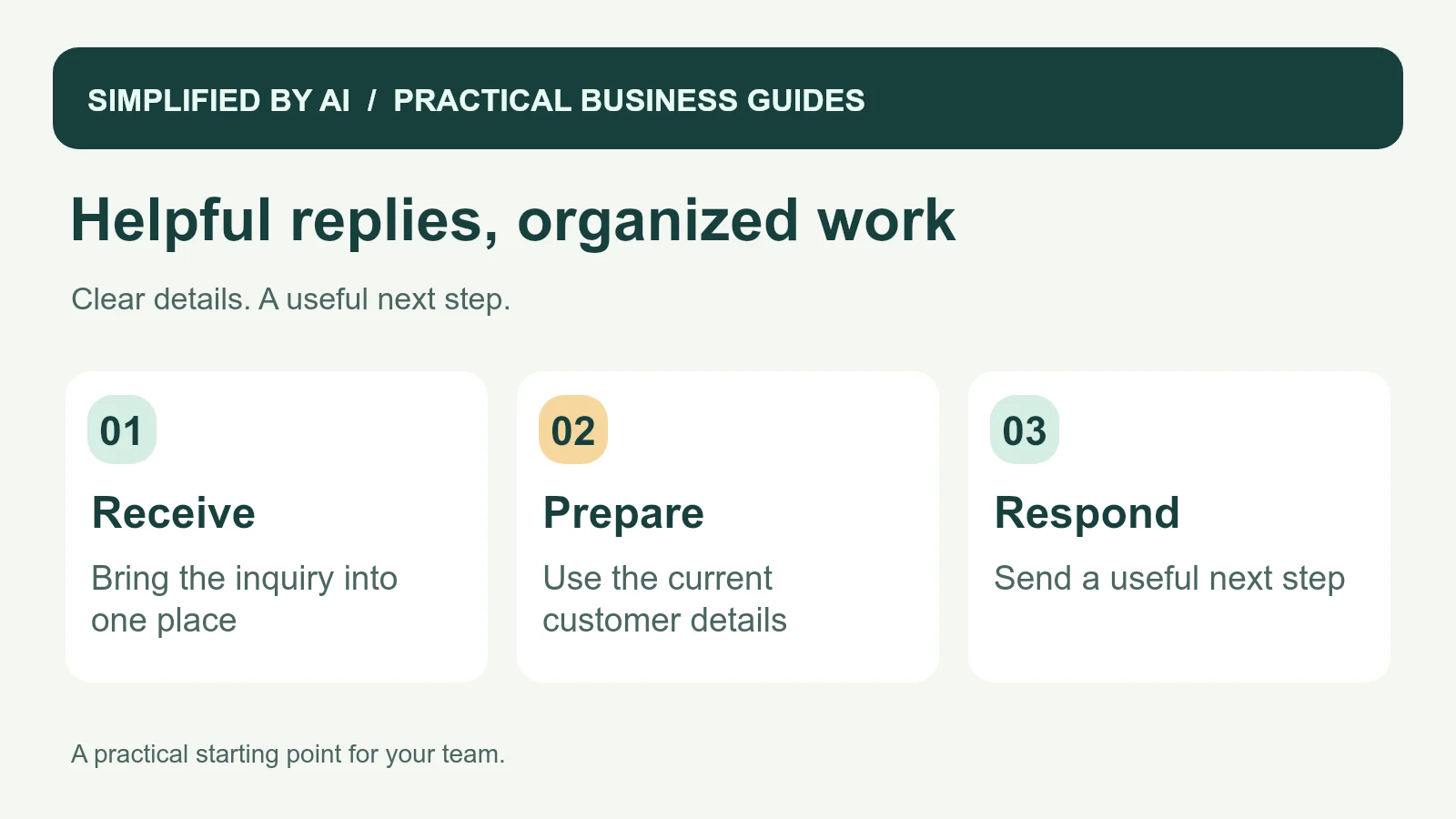
Short answer: AI-powered messaging for small businesses can help organize inquiries, summarize long conversations, and prepare useful replies from the information your team already has. Start with one repeated problem, such as acknowledging a new request or asking for a missing detail. Give each conversation an owner and keep the customer's next step clear.
If messages are filling the gaps between jobs and spilling into your evenings, start with the part that takes the time. A saved reply can handle repeated wording. A calendar connection can repeat a confirmed time. AI is useful when a varied message needs reading, summarizing, or turning into a draft. Each solves a different part of the work.
Four messages you can adapt today
These are customer-facing examples your team can personalize. Replace the bracketed details and use only facts you have checked. They can work as ordinary saved replies before you connect any automation. That gives you a useful starting point and a way to learn which wording customers understand.
1. Acknowledge a new inquiry
Hi [name],

Thanks for contacting [business] about [service or request]. We have received your message, and [person or team] will review the details.

Our next step is to [real next action]. We will update you by [timeframe your team can meet].

If you would like to add anything, you can reply here.

Thanks,
[name]
[business]
2. Ask for one missing detail
Hi [name],

Thanks for explaining what you need help with. Before we can [next action], could you confirm [one missing detail]?

That will help us [short customer benefit, such as check the right service option]. You can reply directly to this message.

Thank you,
[name]
[business]
3. Share a verified service update
Hi [name],

A quick update on [job or request reference]: [confirmed current status].

The next step is [agreed action], and [person or team] is looking after it. We will contact you again by [agreed update time], or sooner if there is a change.

Please reply if you have a question.

Thanks,
[name]
[business]
4. Arrange help from the right person
Hi [name],

Thank you for explaining the issue. I have passed the details to [person or team], who can help with [specific question].

They will [agreed next action] by [realistic update time]. You do not need to send the information again.

If you would prefer a call, please let us know the best time and number.

Thank you,
[name]
[business]
Where AI-powered messaging can be useful
Customer messages often include several jobs at once. Someone may ask about availability, explain a property problem, and mention that they already called. AI can help bring those points together so the employee preparing the reply can see the actual request.
- Summarize a long email thread before a callback.
- Group incoming messages by the type of help requested.
- Highlight a missing location or preferred contact method.
- Prepare a draft using an approved response and current records.
- Collect agreed next steps into a follow-up list.
- Bring repeated customer questions to a weekly team review.
Routine booking confirmations and fixed reminders may only need ordinary rules and templates. Choose the simplest approach that handles the work reliably. Our customer communication service begins with the process you need, then considers which tools fit it.
A worked example: from a customer message to a useful reply
Here is a fictional inquiry received by a cleaning business. The office has not checked coverage, availability, or pricing yet.
“Hi, we need office cleaning every other week. We have four desks and a small meeting room. Wednesday after 5 would be best. Can you give us a price? Morgan.”
A useful staff summary keeps the request separate from anything still unknown. It preserves “every other week” rather than converting it to “twice a week.”
Staff-only summary of the example inquiry
Customer: Morgan
Request: Office cleaning every other week
Property details supplied: Four desks and a small meeting room
Preferred time: Wednesday after 5 p.m.; not yet agreed
Question: Can you provide a price?
Missing: Service location and any other details needed for an estimate
Booking status: Inquiry only
Next action: Ask for town or ZIP code before checking service-area fit
Owner: Casey, office coordinator
Casey reads the original message and checks the summary before sending this reply:
Example: ask for the missing location
Hi Morgan,

Thanks for asking about office cleaning every other week. Could you tell us the town or ZIP code for the office?

That will help us check whether we cover your location. If we do, we can discuss the details needed for an estimate and check your preferred Wednesday timing.

Thanks,
Casey
The reply answers the next practical question without inventing a price or promising an evening slot. Once coverage is checked, the office can collect the remaining details through a short intake form. After a time is actually agreed, an appointment confirmation can repeat the booking.
Choose between a saved reply, a rule, and AI
| Repeated task | A practical starting point |
|---|---|
| Send the same opening-hours answer | A saved reply from your approved information. |
| Confirm a booking already in the calendar | A rule that inserts the current date, time, and location. |
| Read a long inquiry with several requests | An AI summary and draft for staff to check. |
| Decide a refund, price exception, or disputed charge | The employee authorized to decide, with the source conversation available. |
This avoids adding a new subscription to a task your current inbox can already handle. The useful question is which step still needs help after you have made the reply and ownership clear.
Set up one inbox workflow before adding more channels
- Pick one request type. For example, new cleaning inquiries arriving by email.
- Define what starts it. A newly received inquiry creates one open conversation record. Replies update that record rather than creating a second follow-up.
- Keep the source. Store the original message or a direct link with the summary, received time, customer contact, and request reference.
- Use a small set of statuses. New, Needs review, Waiting for customer, and Closed are enough for a first version.
- Choose an owner and backup. Give Casey the review task; send overdue tasks to the backup if Casey is away.
- Prepare a draft. Use the customer's request and approved service information. Missing facts remain questions for staff to resolve.
- Review and send. Check names, frequency, location, dates, amounts, and promises against the original records.
- Record the outcome. Set a next review date when waiting for a reply. Close only when the request is resolved or the customer ends it.
If the tool fails to create a summary or the connection stops, the original inquiry still needs to remain visible as an unhandled request. Test that fallback with the person who checks the inbox. Our shared inbox workflow explains how ownership keeps “read” from being mistaken for “handled.”
Make messages sound like your business
Collect a few replies that staff already like sending. Look for the words your customers use and the questions they ask next. Keep the tone friendly and straightforward. Digital.gov's plain-language principles are useful when shortening an explanation or making the requested action easier to find.
Personalize the part that matters. A message about a missed appointment needs the correct appointment details more than a long opening greeting. A reply to a worried customer needs an understanding of the question and a realistic next update. Give the team permission to rewrite a prepared response when the conversation calls for it.
Use current facts and a clear review step
Price changes, appointment availability, refunds, and unusual requests should reach someone who can make the decision. Document who approves those answers and how customers can reach them. The NIST AI Risk Management Framework is a useful reference for defining responsibilities when AI supports a business process.
For privacy and security, give the messaging tool only the information it needs. The FTC's personal-information guidance recommends reducing unnecessary data and access. Keep payment credentials and sensitive access instructions out of general reply templates. Get qualified legal advice about any consent, retention, or industry-specific obligations relevant to your use.
Check the cost against the whole task
Count the time spent finding a message, reading the history, preparing a reply, reviewing it, and dealing with any correction. Compare that with the same task before the change. A fast draft is useful when the total work becomes easier and the customer still receives accurate help.
Include subscription costs, usage fees, setup, and ongoing maintenance in the decision. Start with the tools you already use where possible. Our small-business automation budget guide can help organize those questions before you commit to a larger project.
Test the mistakes that would matter to your customer
Use a small set of fictional messages before allowing customer sends. Include these cases and check the expected result:
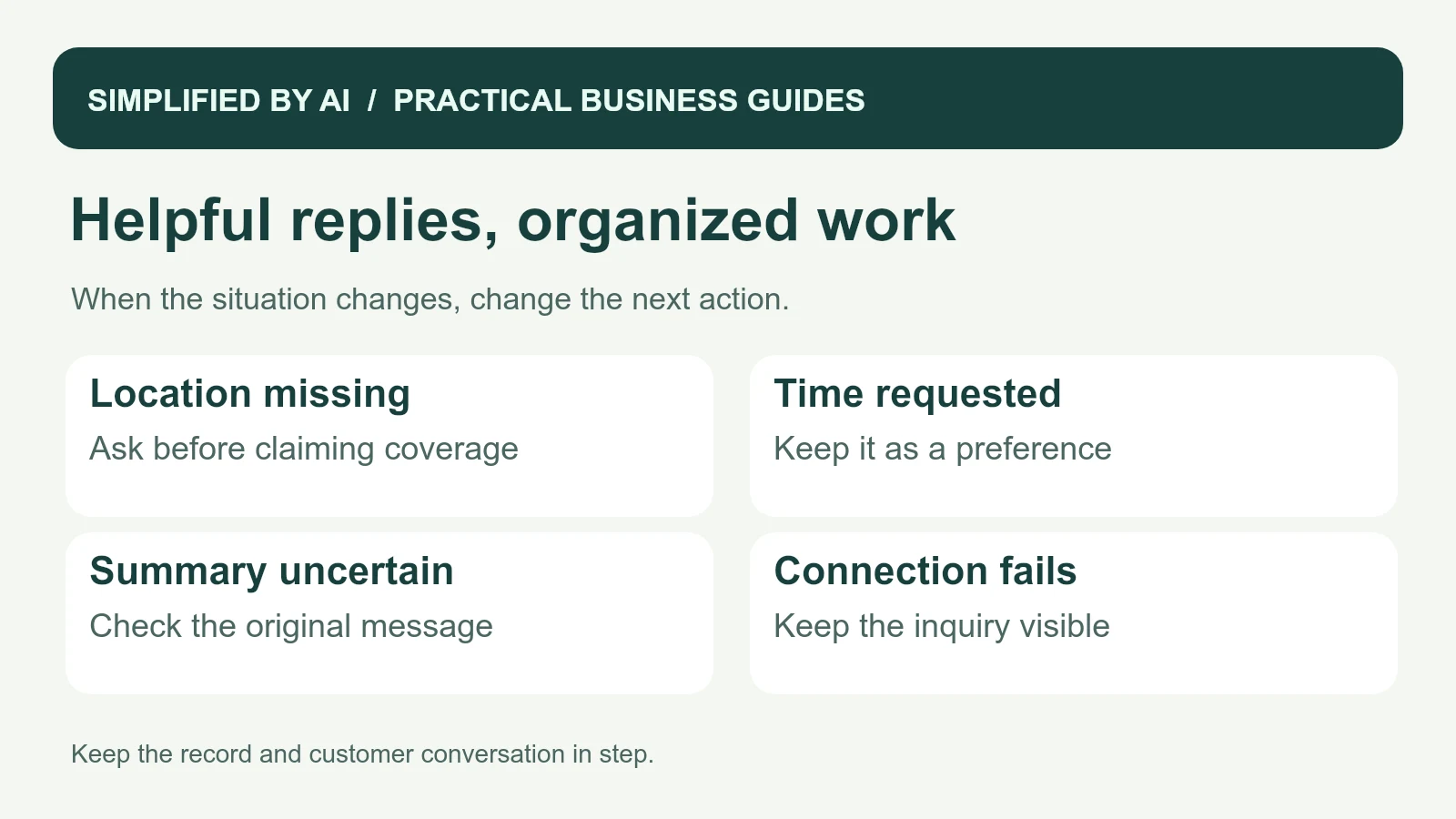
- “Every other week”: the summary preserves the frequency.
- No service location: the draft asks for it instead of assuming coverage.
- A requested Wednesday slot: it stays a preference until availability is checked.
- A complaint or refund request: the authorized employee receives it without an automatic promise.
- A follow-up reply on an old inquiry: the existing conversation reopens with one owner.
- A failed connection: the inquiry stays visible for manual handling.
During a draft-only trial, record both the time saved and time spent checking or correcting messages. If a five-minute task becomes a two-minute draft plus four minutes of corrections, that version needs work. This is an illustrative comparison, rather than a claimed saving.
Ask staff which step still feels awkward and read the customer's next reply for clues. If people repeatedly ask the same question, clarify the message. If ownership is unclear, fix the handoff. Our customer service workflow examples show how these small improvements fit into a complete request-to-resolution process.
Frequently asked questions
What is AI-powered messaging for small businesses?
It uses AI to help organize incoming messages, summarize conversations, or prepare replies from current business information. Your team chooses how it fits the work and checks anything that changes a customer commitment.
Do I need to replace my existing inbox?
Often you can begin with the inbox, contact form, calendar, or customer system you already use. Check what connections your tools support and start with one repeated task.
Which messages are a good place to start?
New-inquiry acknowledgments, requests for a missing detail, and status summaries are useful candidates. Choose a task with enough repetition to measure and a clear person responsible for the next action.
How can we tell whether messaging support is helping?
Compare response time, missed follow-ups, corrections, and customer replies before and after a small trial. Count staff review time too, so you can see whether the whole process is easier.
Make your customer inbox easier to manage
Tell us where conversations get stuck. We can help your team organize incoming messages, prepare helpful replies, and make the next action clear.